Hey everyone,
We are always actively trying to improve our services and systems based on what you guys tell us could be improved! This months update is earlier than usual, however, we are finally excited to share!
Integrated Status Page
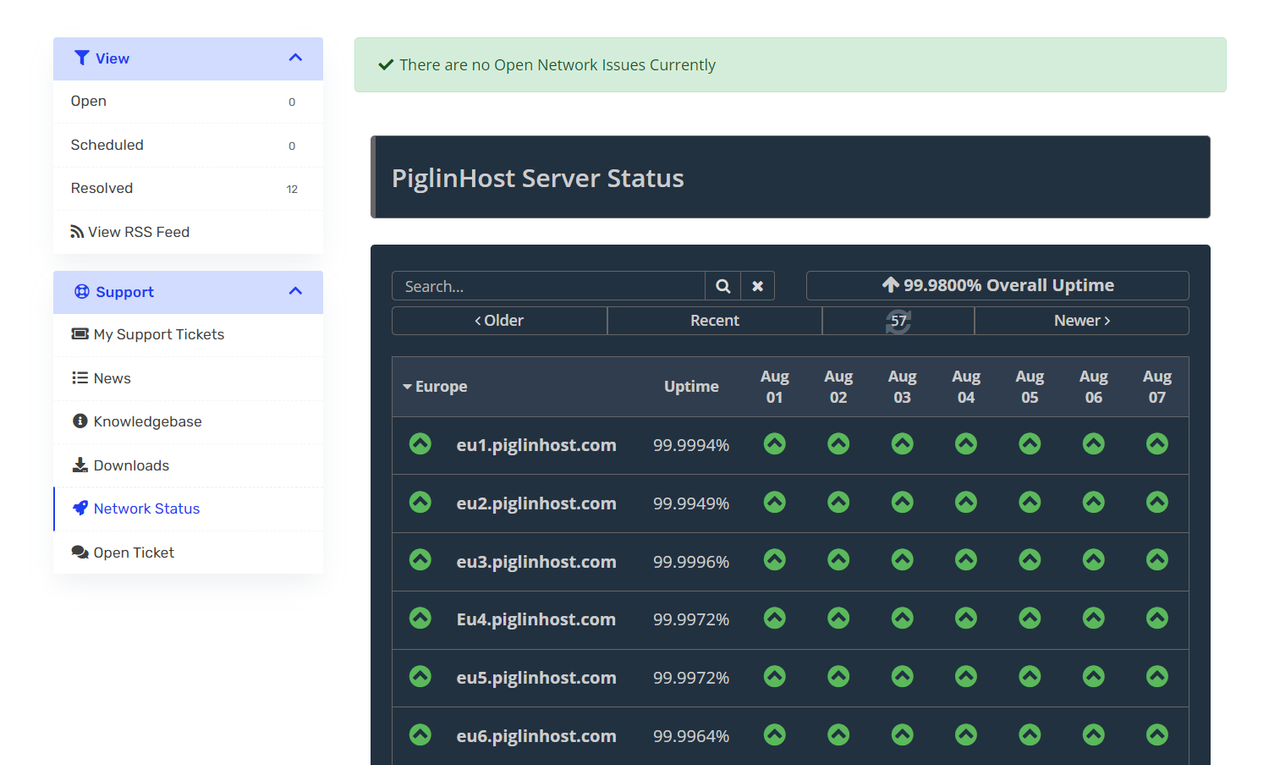
We have a new integrated Server status page integrated into our Billing area, which updates every minute.
You can access this whilst logged in here: https://billing.piglinhost.com/serverstatus.php
You can click each server for further details too - which are all in real-time. Therefore, if your curious of your server is down, you can easily check here by your node.
New Billing Area Overhaul and changes!
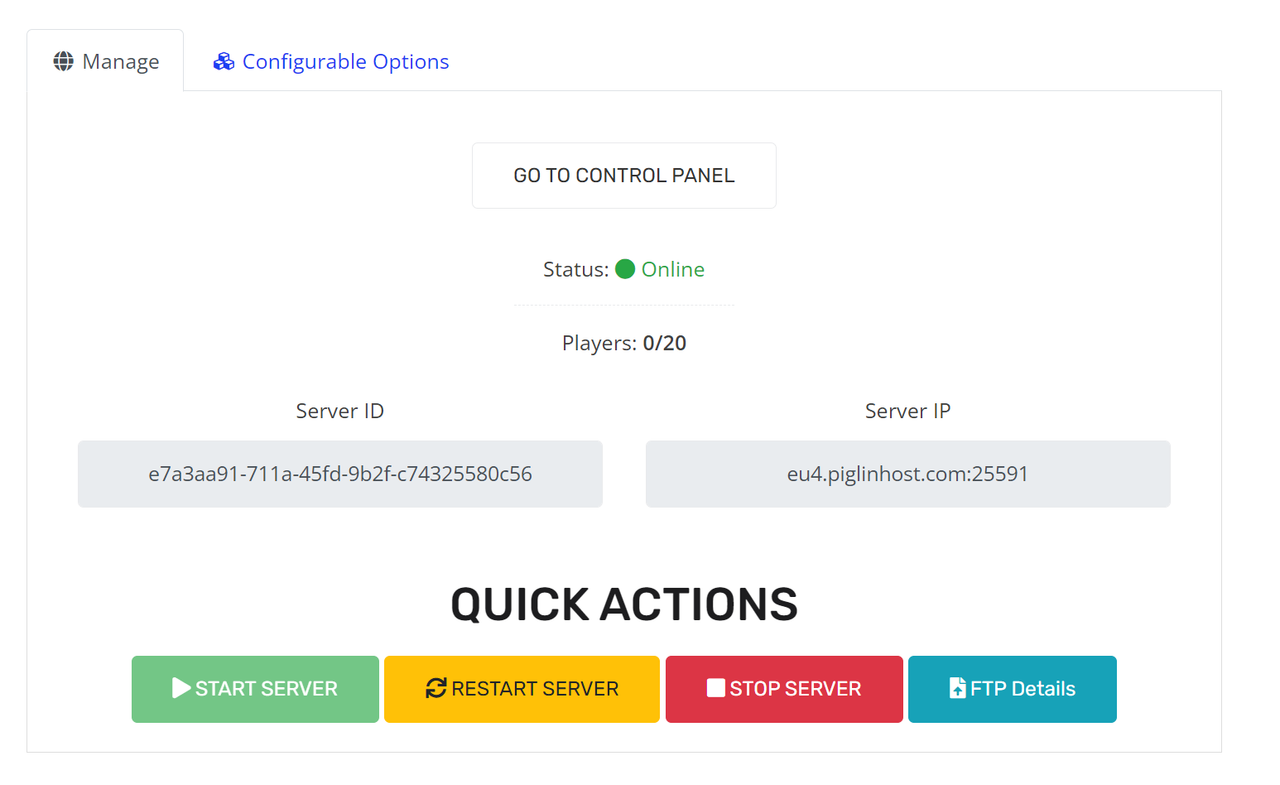
Now for the main changes! We have overhauled our Services page in the client area. Please see the screenshot below.
- You can now easily see your servers IP address from a glance, as well as start, stop, restart and view your FTP details for your Minecraft server with us - all from your Billing area.
- You can also see live your player count, as well as if the server is online/offline.
This has been added in conjunction with a overhauled backend on our end which makes it easier for our team to provide you lightning fast Support, as well as track servers UUID's and nodes.
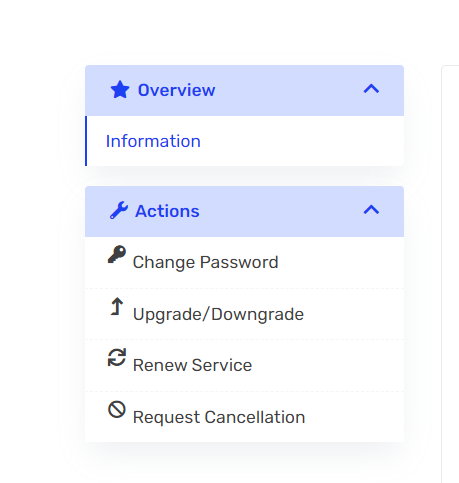
- You can now change your Control Panel password from your Billing area. I know this was a big pointer from feedback. You can simply click 'Change password' from your service page in your Billing area and change your password for your Control panel and FTP.
- We have also improved a lot of the activation process for our new clients too based on your feedback.
- Works with our PiglinHost mobile app, easily manage your server on the go! Download it today from the Google Play store from https://piglin.host/app
FAQ
I cannot see my server IP and/or use the buttons?
If you are an existing client - please reach out to our team via Support Ticket or our Discord Server and we can happily get this linked for you. We have tried to migrate as many servers as we can, however, some still need doing manually. This only takes our team a few seconds to do.
Support Ticket (Please login first) - https://billing.piglinhost.com/submitticket.php?step=2&deptid=2
Discord Server - https://discord.gg/piglinhost
For new clients, this will already be setup for you automatically.
How do i change my control panel password now?
Please navigate to your service, then click Change password on the left hand side.
We may change this in the future, however, we believe this is more secure for the time-being.
Has my Control Panel password changed?
No, your password remains the same. If you want to change your password moving forward for your control panel however, you will need to do it via your Billing area (Please see above).
Can i still change my password in the control panel?
No, you can only update your Control panel password from your Billing Area (Please see above)
Where are the freebies?!
Please keep a eye in our Discord server as we will be posting there first.